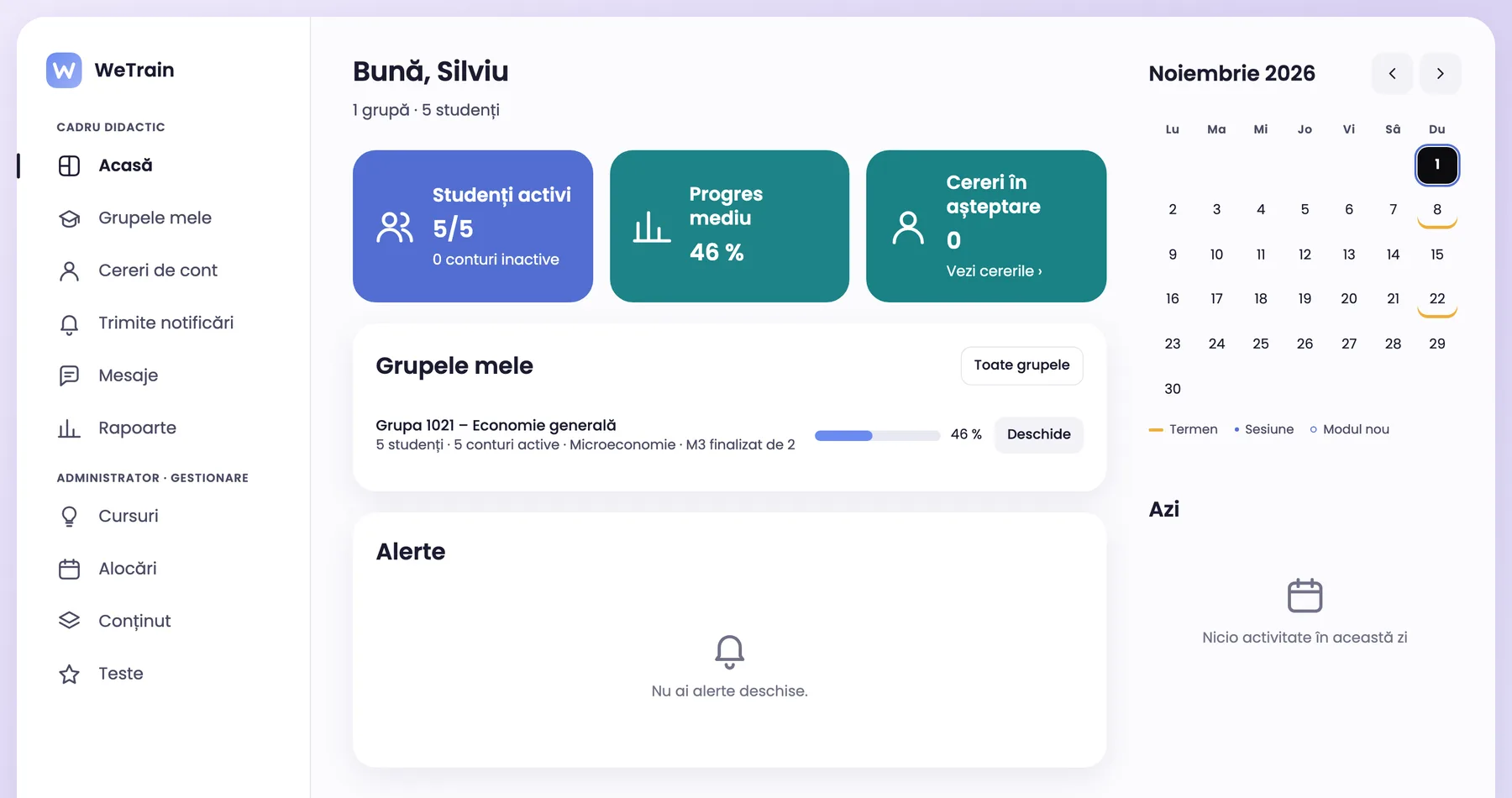
The teacher publishes lessons, tests and materials for their groups, with a deadline for every module.
Teaching assistants in the same group
A teaching assistant is the second teacher of the group, with the same rights: assigns modules, follows progress and answers messages.
Shared courses in the university
Colleagues can also assign a course that is public in the university. Anyone can copy it and adapt it for their groups.
Features for universities
What your university gets
Own courses
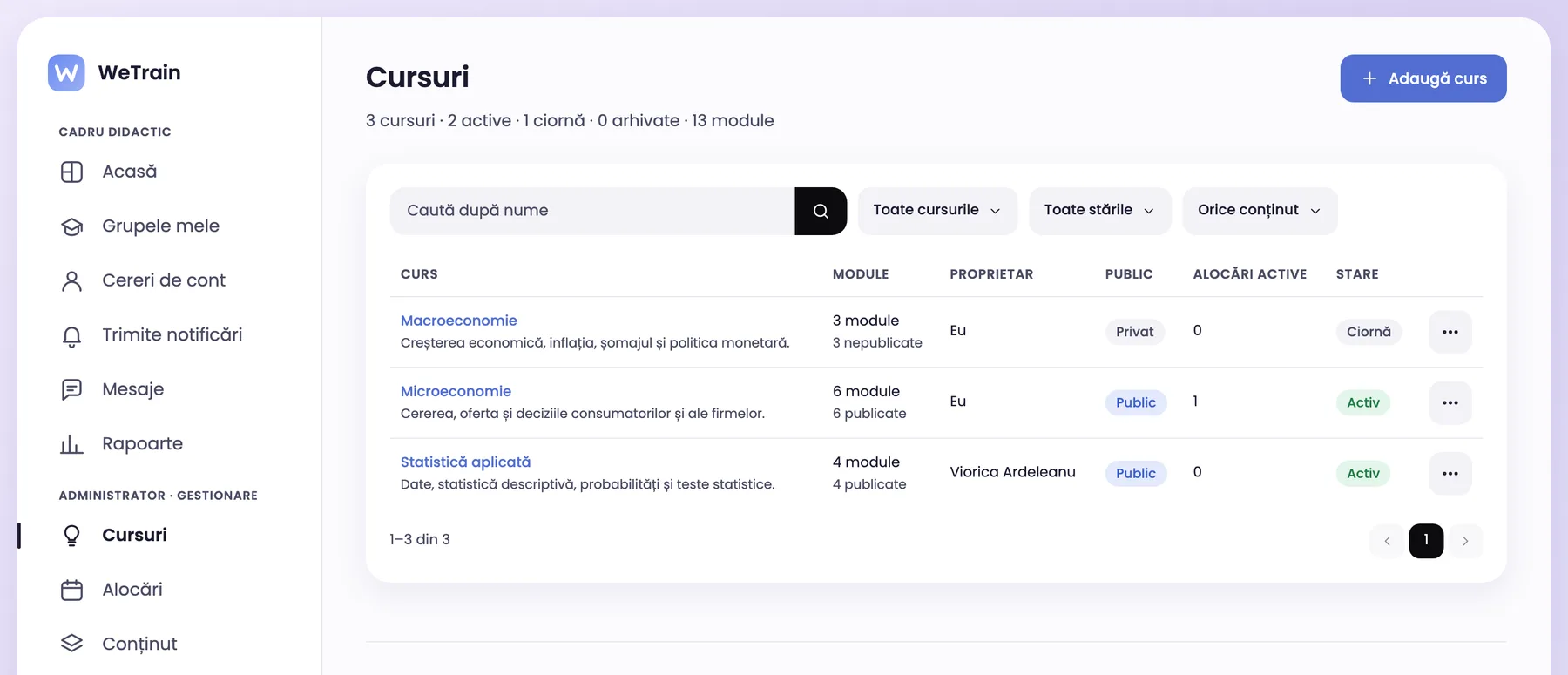
Every teacher has their own courses
Teachers change only their own courses. They can read, assign and copy the public courses of their colleagues. The administrator sees all courses and can change the owner.
Owner and visibility for every course
Public in the university, never outside it
“Copy course” makes a private copy with no link to the source
app.wetrain.ro
Groups and assignments
Assign the course to your groups
Teachers assign a course to the groups they teach, with an open date, module deadlines and rules for late attempts.
Faculties, groups and academic year
The teaching assistant has the same rights in the group
Group progress on the home page
Accounts
Student accounts without extra steps
Students join with the group code or are imported from Excel. The platform asks for no birth date and no parental consent.
Enrolment code per group
Excel import
Account requests approved by the teacher or the administrator
AI assistance
AI for university courses
The AI suggests lessons and questions for students, for the year of study you choose. The teacher checks every suggestion before publishing.
New lesson from a description or from documents (PDF, DOCX, PPTX)
Test questions generated from the lesson
AI providers that do not keep the data they receive
Assessment
Tests, scores and certificates
Tests have a pass mark and a number of attempts. When students pass, they get a PDF certificate with a QR verification code.
7 question types
Question bank of the course
Reports by faculty, group, module and student
The platform uses the words of your university
Menus, e-mails, reports and certificates use your terms.
Faculties
Groups
Academic year
Students
Teachers
Courses
Frequently asked questions
Questions universities ask
Does a teaching assistant need a separate role?
No. The teaching assistant is the second teacher of the group and has the same rights.
Can colleagues see my course?
Only if you make it public in the university. Then colleagues can read it, assign it to their groups and copy it. Only you and the administrators change it.
Are public courses visible outside the university?
No. A public course is visible only in your university.
See WeTrain with a course of your university
Book an online demo. We show you how a teacher works with their groups.