Online learning platform

Clear online lessons, visible progress for every learner

WeTrain helps schools, universities and companies publish lessons, follow progress and issue certificates.

Nothing to install. It works in the browser, on phones and on computers.

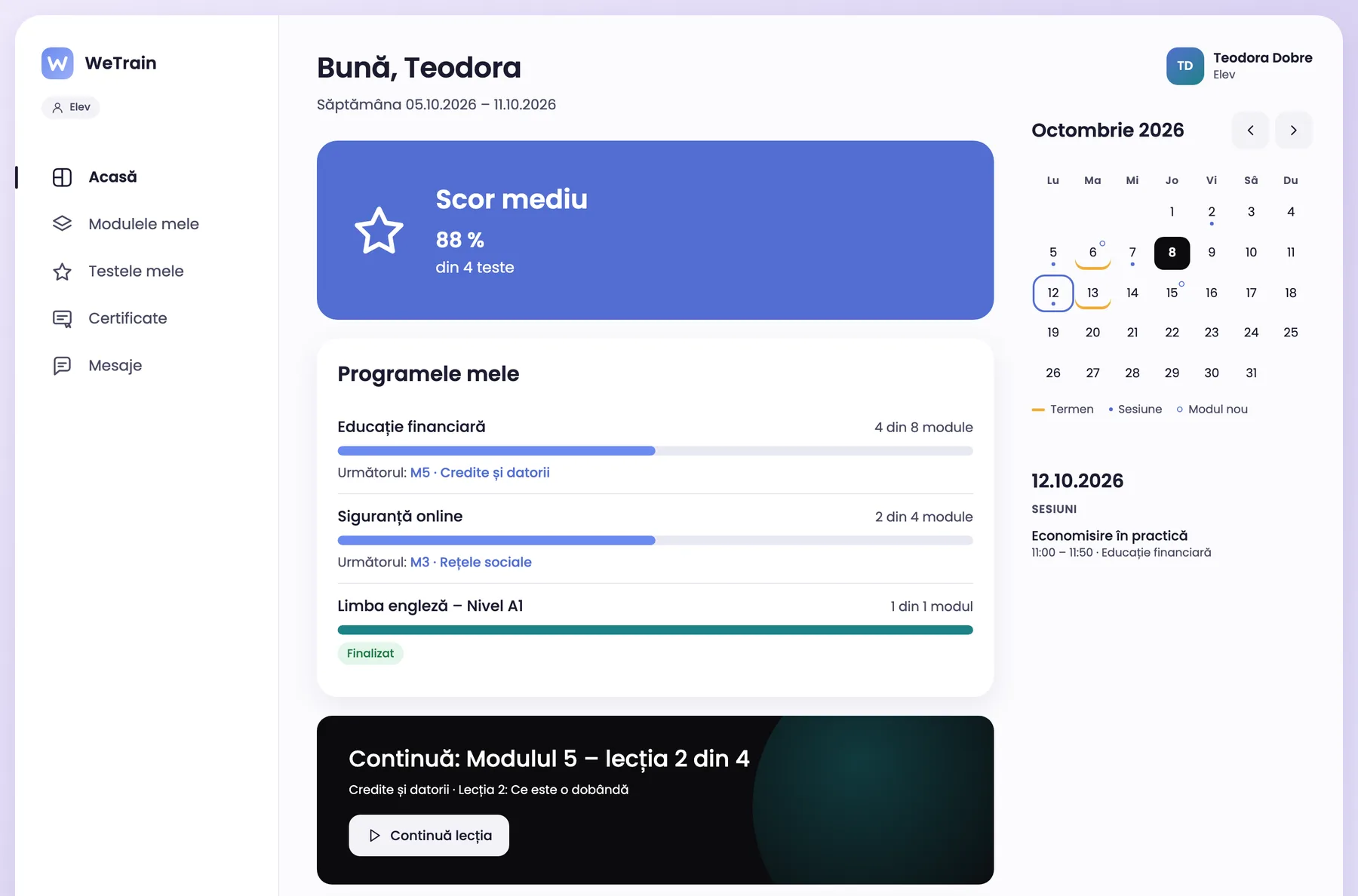
A learner home page: average score, programmes with their progress and the calendar.

Built for education and training

  • SCORM 1.2 and 2004
  • From phone to desktop
  • Data hosted in the EU

Who it is for

One platform for schools, universities and companies. Menus, e-mails and certificates use the words of each organization.

  • Schools

    Classes, teachers and students. Parental consent for minors and reports for every class.

    WeTrain for schools
  • Universities

    Teachers build their own courses and assign them to their student groups. Teaching assistants work in the same group.

    WeTrain for universities
  • Companies

    Trainers build training programmes for employees. Reports show who completed them and with what score.

    WeTrain for companies

For every role

Each person sees only what they need

All roles use the same simple interface. Only the menu and the data change.

  • Administrator

    Sets up the structure of the organization, the groups and the programmes. Assigns modules, reads the reports and exports the data.

  • Teacher or trainer

    Follows the groups, sees who falls behind and sends messages to learners.

  • Student or learner

    Completes lessons at their own pace, takes the tests and downloads the certificates.

  • Author

    Creates lessons in the editor or imports SCORM packages. The AI suggests, the author decides.

Features

Everything a training programme needs

From the first lesson to the certificate, everything is in one place.

Lessons and SCORM

Lessons that open anywhere

Import SCORM packages or create lessons in the platform. Learners see the progress of each module and continue where they stopped.

  • SCORM 1.2 and 2004 packages
  • Progress saved automatically
  • Programmes, modules, chapters and lessons
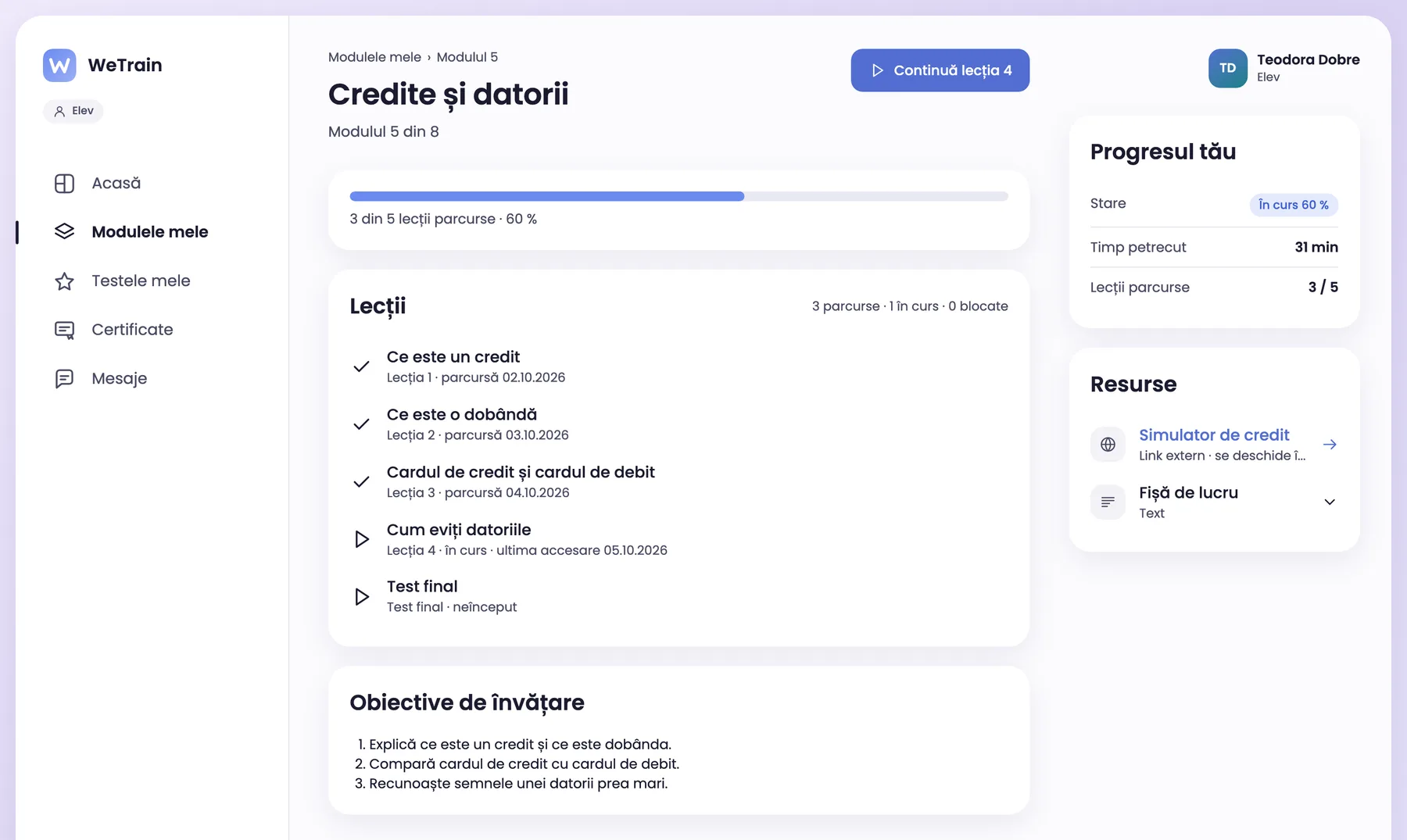
A module page: completed lessons, the lesson in progress, the final test and the learner progress.

Editor with AI

Write lessons faster, with help from AI

Describe the lesson or upload documents, and the AI suggests a draft. The author checks each block before publishing.

  • New lesson from a description or documents
  • Help on a text block
  • Test questions generated from the lesson
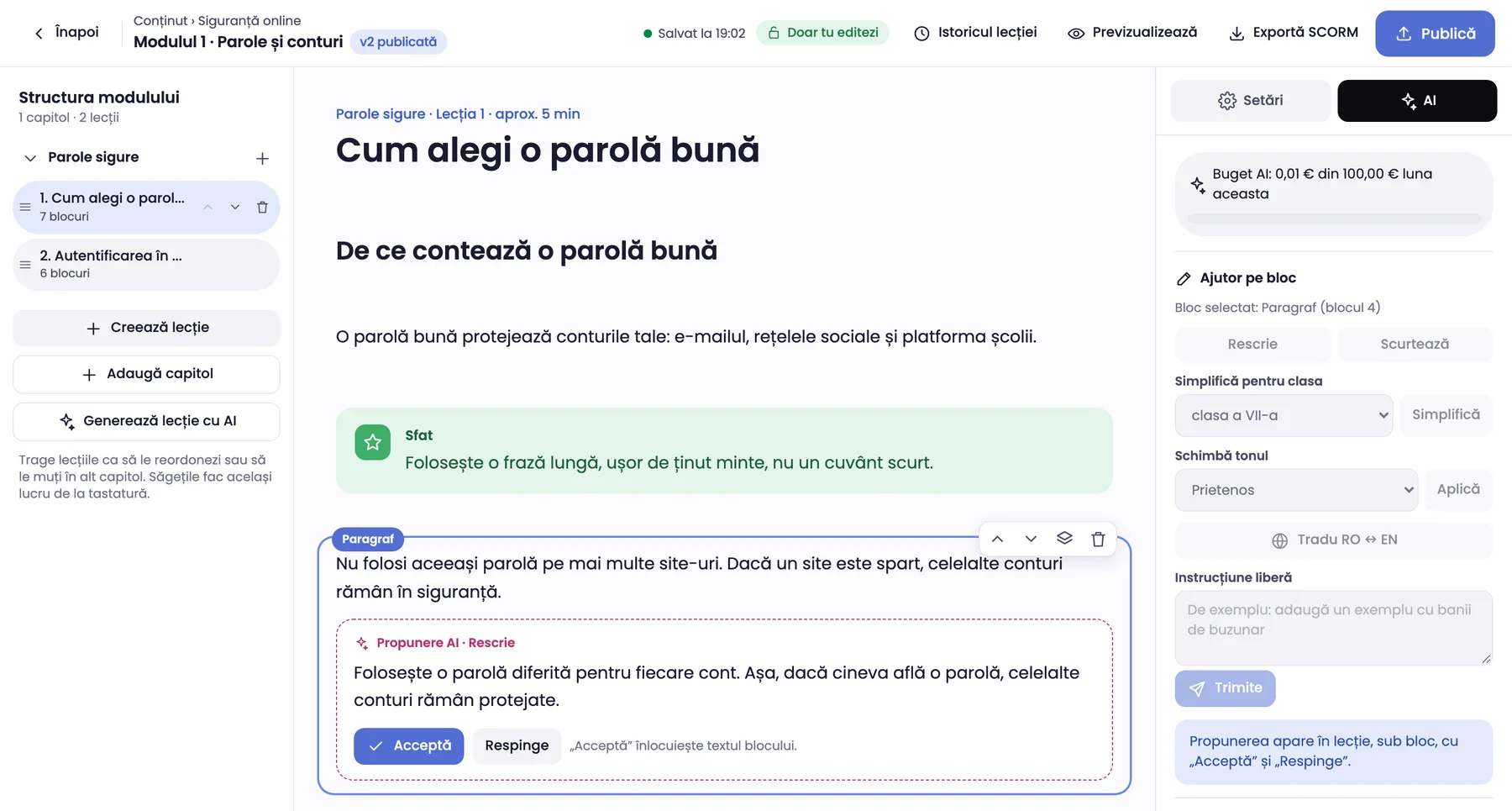
The lesson editor with the AI panel open: the AI proposal shows below the paragraph, with Accept and Reject.

Tests and certificates

Clear tests, verifiable certificates

Set the pass mark and the number of attempts. When learners pass, they get a PDF certificate with a QR verification code.

  • 7 question types
  • Result right after the test
  • Public certificate verification
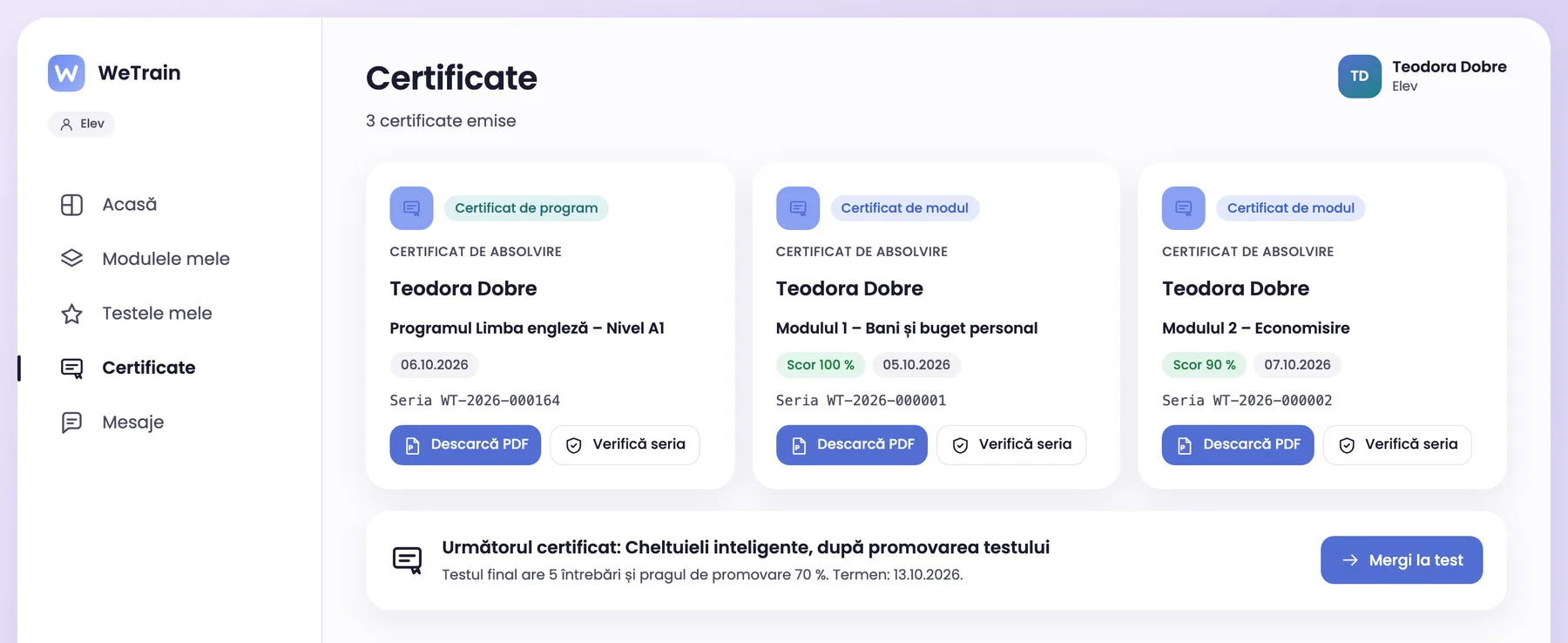
The certificates of a learner, with PDF download and serial number check.

Reports

See the progress of every group

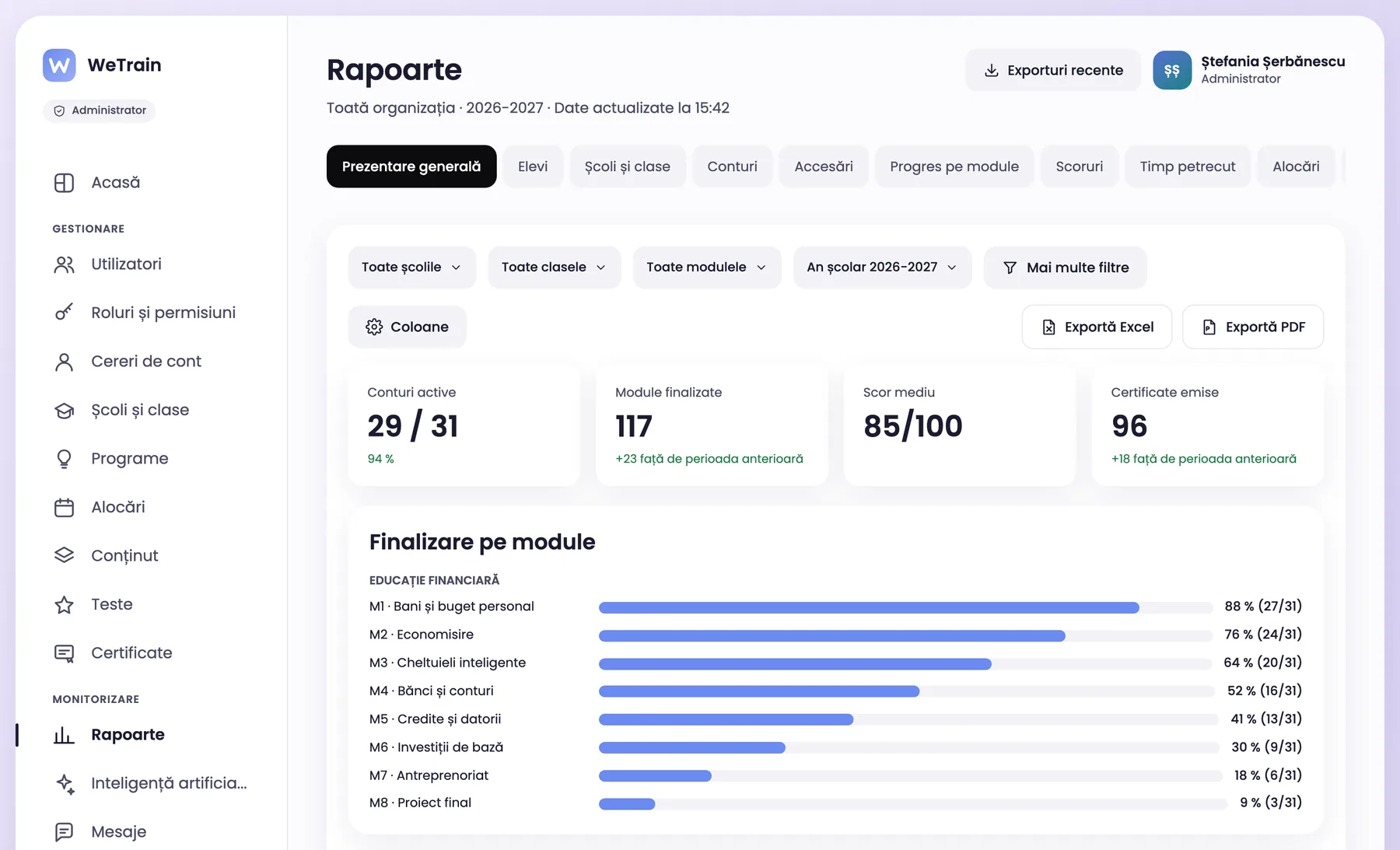
Reports by organization, group, module and learner. Export the data to Excel or PDF in one click.

  • Progress, scores and time spent
  • Filters by school, faculty or department, group and module
  • Excel and PDF export
The organization overview report: active accounts, completed modules, average score and certificates.

Learner data is protected

Data hosted in the EU, encrypted connections, two-step sign-in for administrators and daily backups.

  • Data hosted in the EU
  • Two-step sign-in
  • GDPR compliant
Read about security

One yearly price for the whole organization

The price depends on the number of users. You get a written quote after a short call.

See what the price includes

Frequently asked questions

Short answers to common questions

Do we need to install anything?

No. WeTrain works in the browser, on computers, tablets and phones.

Can we use our own SCORM courses?

Yes. The platform imports SCORM 1.2 and SCORM 2004 packages and saves the progress of every learner.

Where is the data stored?

In the European Union.

How does the platform use artificial intelligence?

The AI suggests lessons, texts and questions. The author checks the suggestion and decides what to publish. We only use AI providers that do not keep the data they receive.

Can we use our own logo and colours?

Yes. Each organization sets its logo, colours and the texts of its sign-in page.

How do we start?

Request a demo. We discuss your needs, set up your organization and train your administrators.

See how WeTrain works for your organization

Book an online demo. We show you the platform and answer your questions.