Training programmes for employees, with results you can show
Trainers build the programmes and assign them to groups. Learners complete them in the browser, and the reports show who completed them and with what score.
A training programme for the first weeks: internal policies, work tools and safety rules.
Mandatory training
Information security, data protection or health and safety at work, with deadlines, tests and certificates.
Team development
Customer communication or sales, with programmes built by your trainers and reports by department.
Features for companies
What your company gets
Own programmes
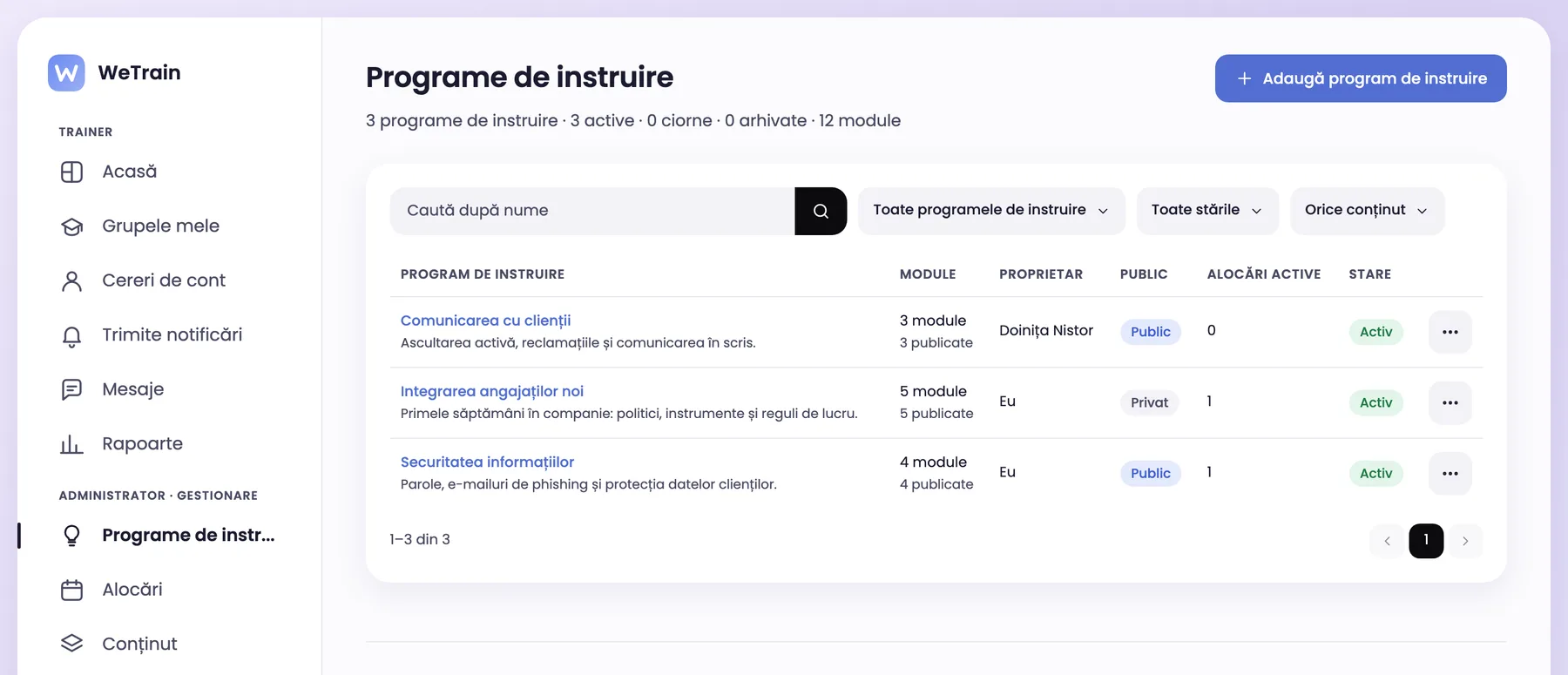
Every trainer has their own programmes
Trainers change only their own training programmes. Other trainers can assign and copy a programme that is public in the company.
Owner and visibility for every programme
A private copy of a public programme, ready to adapt
The administrator sees all programmes and changes the owner
app.wetrain.ro
Departments and groups
Assignments by department and group
Trainers assign the programme to their groups, with an open date and module deadlines. Each training period has its own groups.
Departments, groups and periods
Notifications in the platform and by e-mail
Several trainers in the same group
Reports and certificates
Results you can show
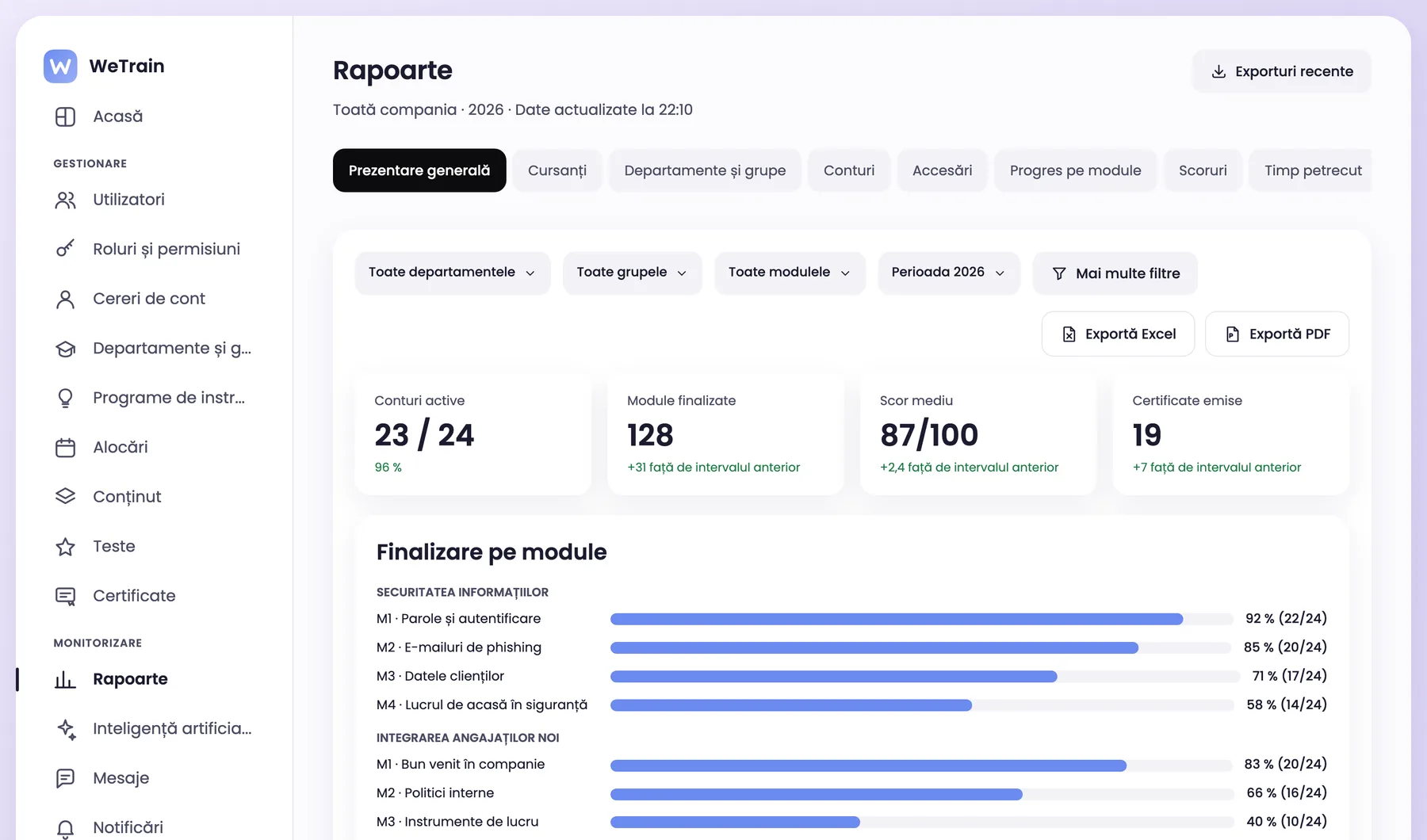
Reports show progress, scores and time spent by department, group, module and learner. PDF certificates have a QR verification code.
Excel and PDF export
Certificates issued automatically on pass
Audit log of important actions
AI assistance
AI for training programmes
The AI suggests lessons and questions for adult employees, for the experience level you choose. The trainer checks every suggestion.
New lesson from your documents (PDF, DOCX, PPTX)
Test questions generated from the lesson
AI providers that do not keep the data they receive
Accounts
Accounts set up fast
The administrator creates the accounts or imports them from Excel. Employees can also request an account with the group code. The platform asks for no birth date.
Excel import
Enrolment code per group
Your company logo and colours
The platform uses the words of your company
Menus, e-mails, reports and certificates use your terms.
Departments
Groups
Periods
Learners
Trainers
Training programmes
Frequently asked questions
Questions companies ask
Can we use the SCORM courses we already have?
Yes. The platform imports SCORM 1.2 and SCORM 2004 packages and saves the progress of every learner.
Who sees the programmes of a trainer?
The trainer and the administrators. If the trainer makes the programme public, the other trainers in the company can read, assign and copy it.
Where is employee data stored?
In the European Union, with encrypted connections and daily backups.
See WeTrain with a training programme of your company
Book an online demo. We show you how a trainer works with their groups.