Features

One complete platform for online training

Organize programmes, publish content, assess learners and follow the results, without other tools.

Content

SCORM lessons and lessons made in the platform

Import your existing packages or write new lessons in the editor. Learners open everything in the same player.

  • Player and import for SCORM 1.2 and 2004
  • Block-based lesson editor: text, images, video, callouts and questions
  • Lesson templates
  • Module catalogue for reuse
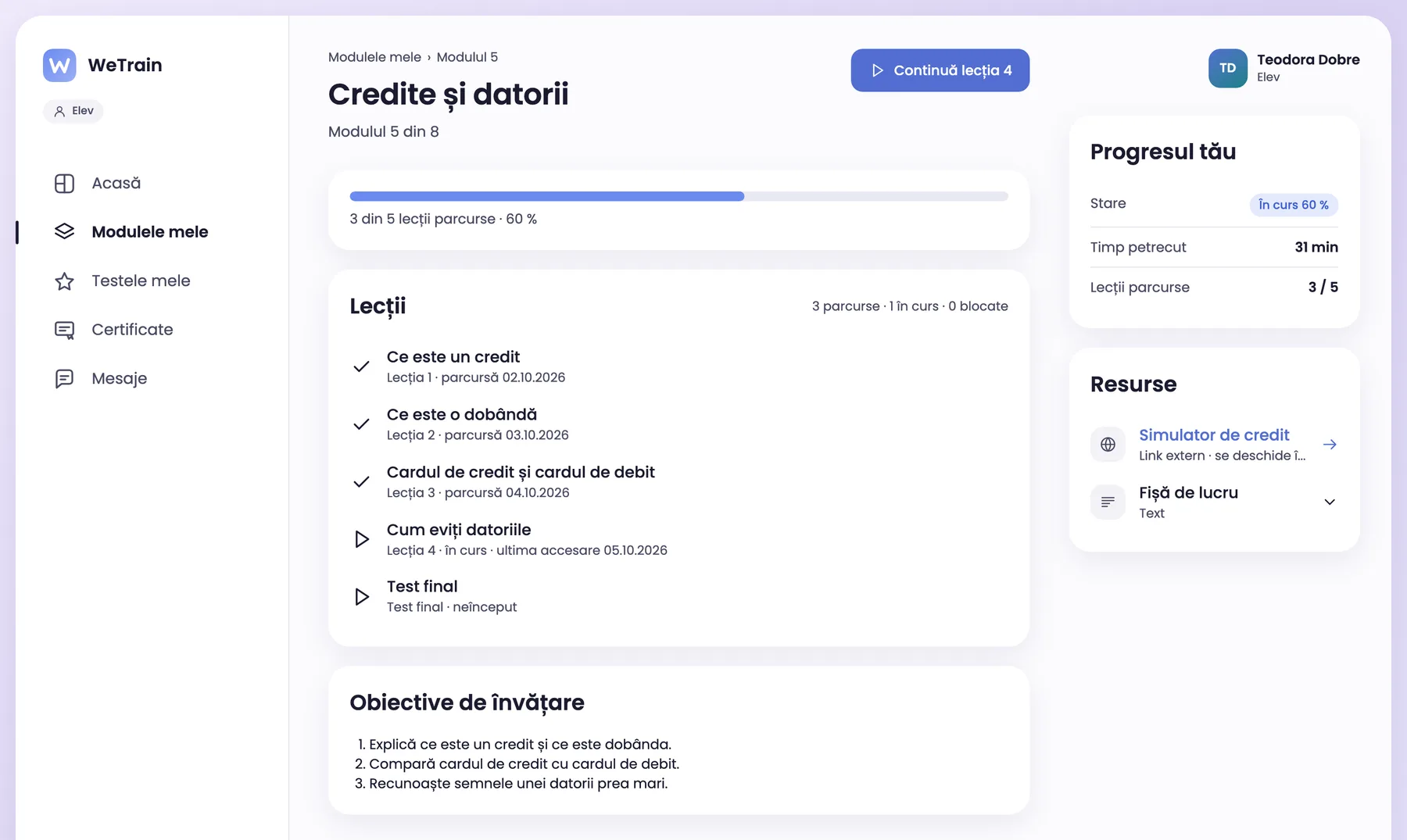
A module page: completed lessons, the lesson in progress, the final test and the learner progress.

AI assistance

The AI suggests, the author decides

The AI shortens the writing work. Nothing reaches learners without the author’s check.

  • New lesson from a description or from documents (PDF, DOCX, PPTX)
  • Help on a text block
  • Test questions generated from the lesson text
  • The author checks each suggestion before publishing
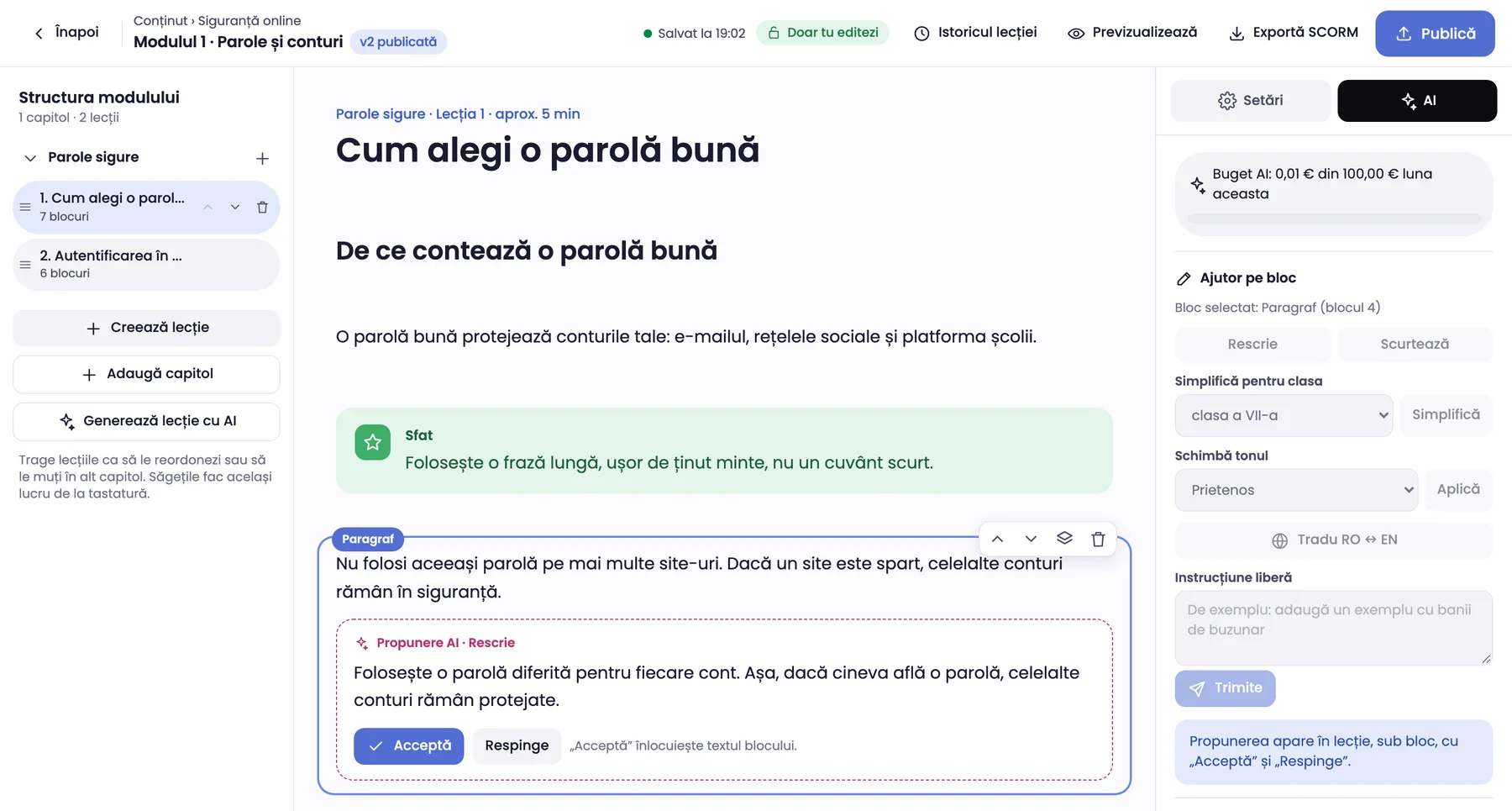
The lesson editor with the AI panel open: the AI proposal shows below the paragraph, with Accept and Reject.

Assessment

Tests and certificates

Tests show what the learner learned. The certificate confirms the result, and anyone can verify it.

  • 7 question types
  • Pass mark and number of attempts
  • PDF certificates issued automatically on pass
  • Public certificate verification with a QR code
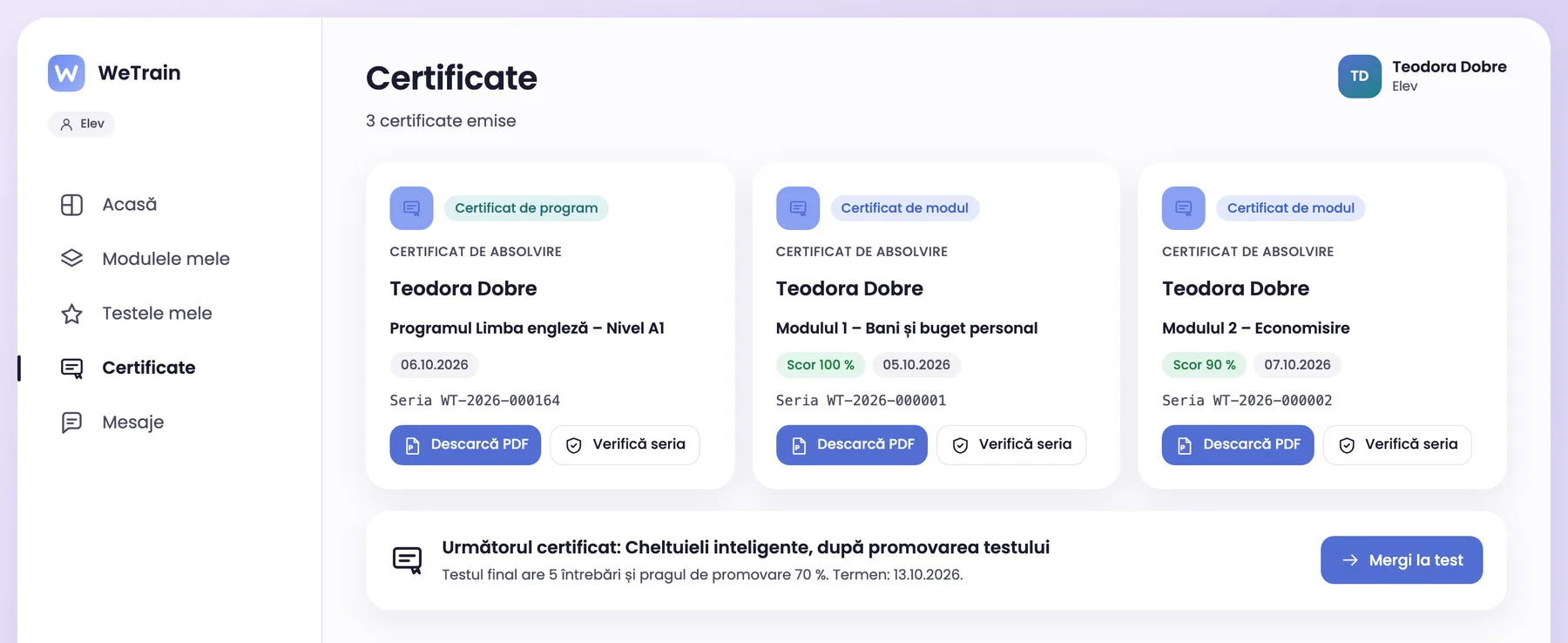
The certificates of a learner, with PDF download and serial number check.

Reports

Reports and exports

See the progress of the whole organization or of one learner. Export the data for funders, partners and audits.

  • Reports by organization, school, faculty or department, group, module and learner
  • Progress, scores, time spent and visits
  • Excel and PDF export
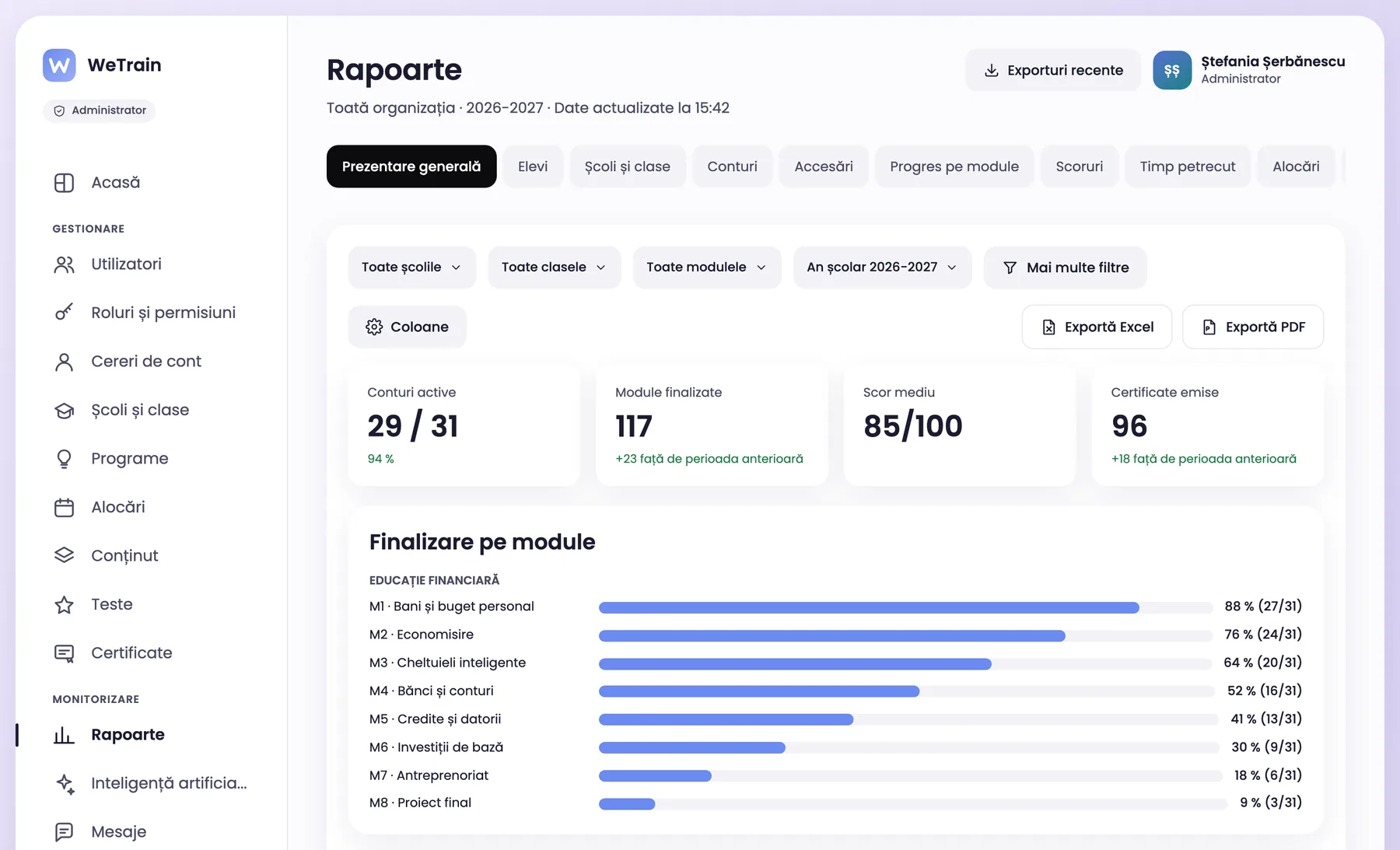
The organization overview report: active accounts, completed modules, average score and certificates.

Structure

Organize the structure, the groups and the programmes

The platform follows the structure of your organization. Each user has a role, and the role sets what they see.

  • Schools and classes, faculties and groups, or departments and groups
  • In universities and companies, teachers and trainers build their own programmes
  • Programmes made of modules
  • Configurable roles and permissions
  • Accounts created by the administrator, by Excel import or with an enrolment code

Communication

Notifications and messages

Learners hear about new modules and deadlines in time. Teachers and trainers answer directly in the platform.

  • Notifications in the platform and by e-mail
  • Messages between learners and teachers or trainers
  • Notification templates you can edit

See how WeTrain works for your organization

Book an online demo. We show you the platform and answer your questions.